

Elemental Machines Calibration Interface User Guide
The Elemental Dashboard provides calibration verification and adjustment of temperature readings for Element-T and Element-A sensors. For information on Humidity and/or Pressure adjustments for the Element-A see the appendix below (1).
NOTE: Calibration is a sensitive procedure that Elemental Machines recommends should only be conducted by trained personnel working for an ISO17025-certified calibration service and working within your company's established quality processes.
Step 1:
Locate the Elements you would like to inspect. Elements can be identified by serial number on the units and, in the Dashboard, by serial number and other metadata such as name, location or equipment category.
Step 2:
Sign-in to the Dashboard and navigate to the Calibration section.
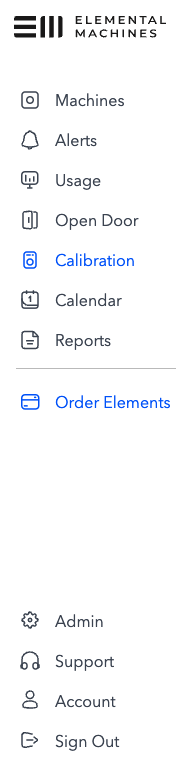
NOTE: access to Calibration is limited to Admin and Calibrator users only.
Step 3:
Select the Element you are going to inspect. The Calibration interface displays timestamped sensor readings for the last 10 minutes.
Click “Refresh readings” to make sure you have the most recent sensor readings.
The Calibration interface also displays any adjustments that have been previously applied to the sensor readings.
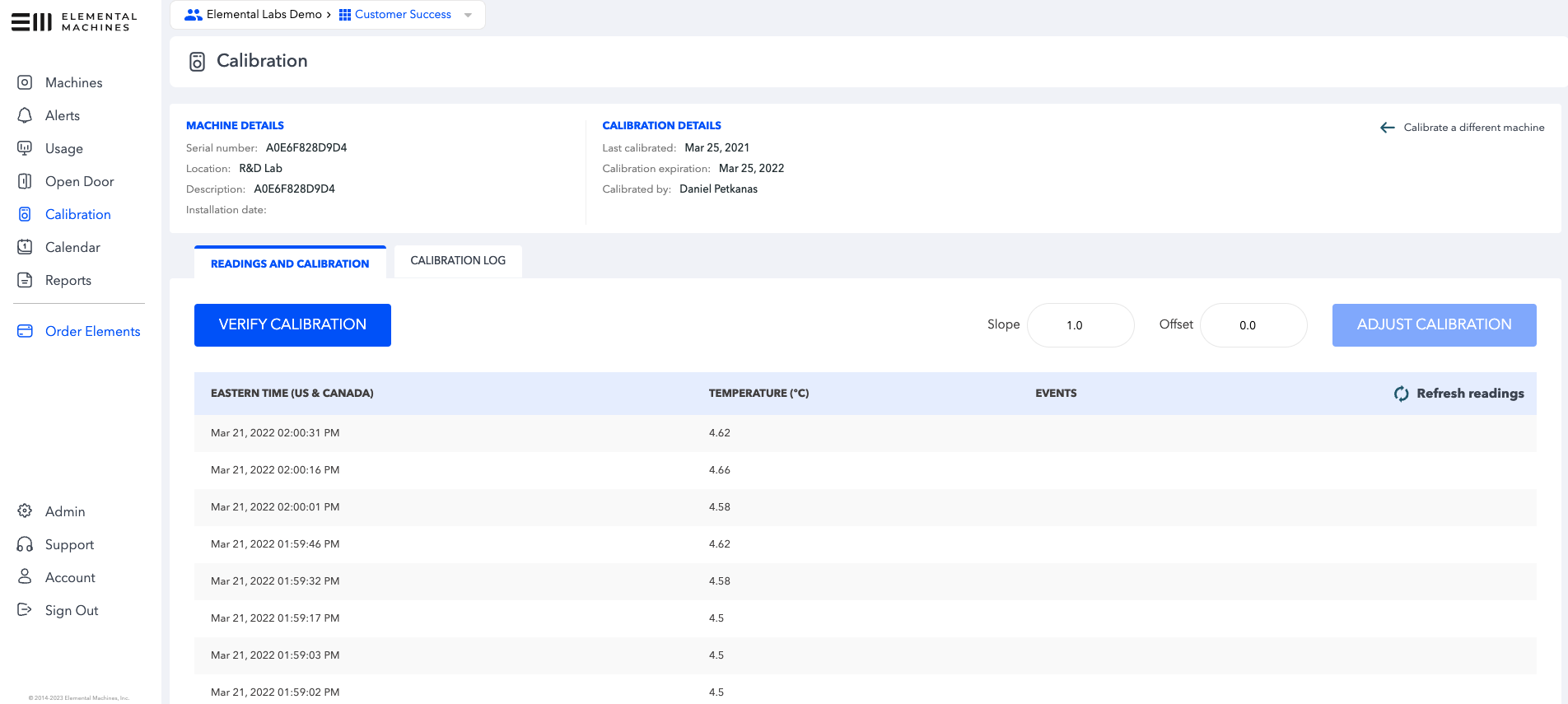
If the sensor readings are in tolerance, proceed to Step 4.
If sensor readings are out of tolerance and an adjustment is deemed appropriate, proceed to step 5.
Step 4:
If the sensor readings are in tolerance for all applicable reference points, click “Verify Calibration” button.
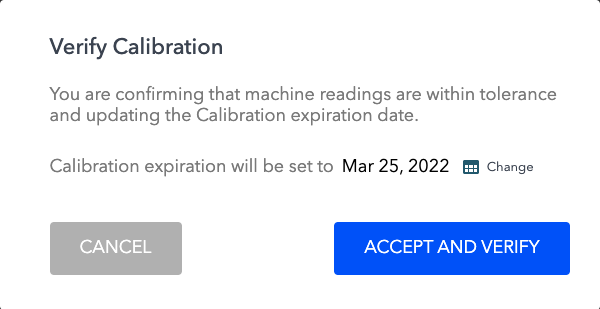
“Verify Calibration” updates Machine record with verification information such as date and user and sets the Calibration expiration date.
NOTE: By default, the date is set to one year from the verification date. To set a different date based on your company’s internal quality procedures, click “Change” next to the date and select a new date.
Click “Accept and Verify” to complete the Calibration Verification process.
The calibration verification is automatically entered into the Calibration Log.

Step 5:
If the sensor readings are out of tolerance, depending on the your company’s Quality system procedures, you may elect to remove the Element from service or to adjust the Element so it falls within tolerance.
To adjust Calibration, enter the Slope and/or Intercept constants you have calculated using the methods defined in your internal Calibration procedures.

Click “Adjust Calibration” and the “Accept and Calibrate” in the confirmation dialog to apply the new values.

Step 6:
Verify the adjusted sensor readings.
The Calibration interface indicates the adjustments have been applied. It may take several minutes for new readings to appear in the system.

Click “Refresh readings” to make sure you have the most recent sensor readings.
If the sensor readings are in tolerance for all applicable reference points, click “Verify Calibration” button.
“Verify Calibration” updates Machine record with verification information such as date and user and sets the Calibration expiration date.
NOTE: By default, the date is set to one year from the verification date. To set a different date based on your company’s internal quality procedures, click “Change” next to the date and select a new date.
Click “Accept and Verify” to complete the Calibration Verification process.
The Calibration verification is entered into the Calibration Log.

Appendix
Adjusting slope and/or offsets for non-Temperature parameters of the Element-A.
In situations where a slope and/or offset to Element-A Humidity or Pressure need to be made, please submit a ticket with the Elemental Machines Technical Support team.
Information for Calibrators
Stabilization of Readings:
Element-A temperature measurements are made by a sensor within the unit and, because of its thermal mass, full equilibration after large temperature changes can take considerable time (e.g. 2.5 hours or more may be required to reach full equilibration after a 30°C step in temperature).
The Element-T thermocouple typically has limited thermal mass and requires less time.Adjustment of Calibration:
Where customers request single-point calibration (e.g. for monitoring isothermal conditions) calibrators may be unable to collect sufficient calibration data to justify adjusting both slope and intercept. In this undesirable situation, calibrators can only correct for the dominant error in the calibration system, which includes both the error in DUT measurement and error in the reference. Calibrators should combine errors from both sources to determine which parameter to adjust; for the DUT:Dominant error in the supplied Element-T thermocouple is:
the intercept between -67°C and +133°C
the slope outside these limits
Dominant error in the Element-A temperature is:
the intercept from 0°C to the maximum operating limit (45°C)
the slope below 0°C to the minimum operating limit (-10°C)